Configure your The Forest server variables
Every field on The Forest Server Options panel, server name, password, admin password, difficulty, world mode, what each one does and the one to never flip mid-playthrough.
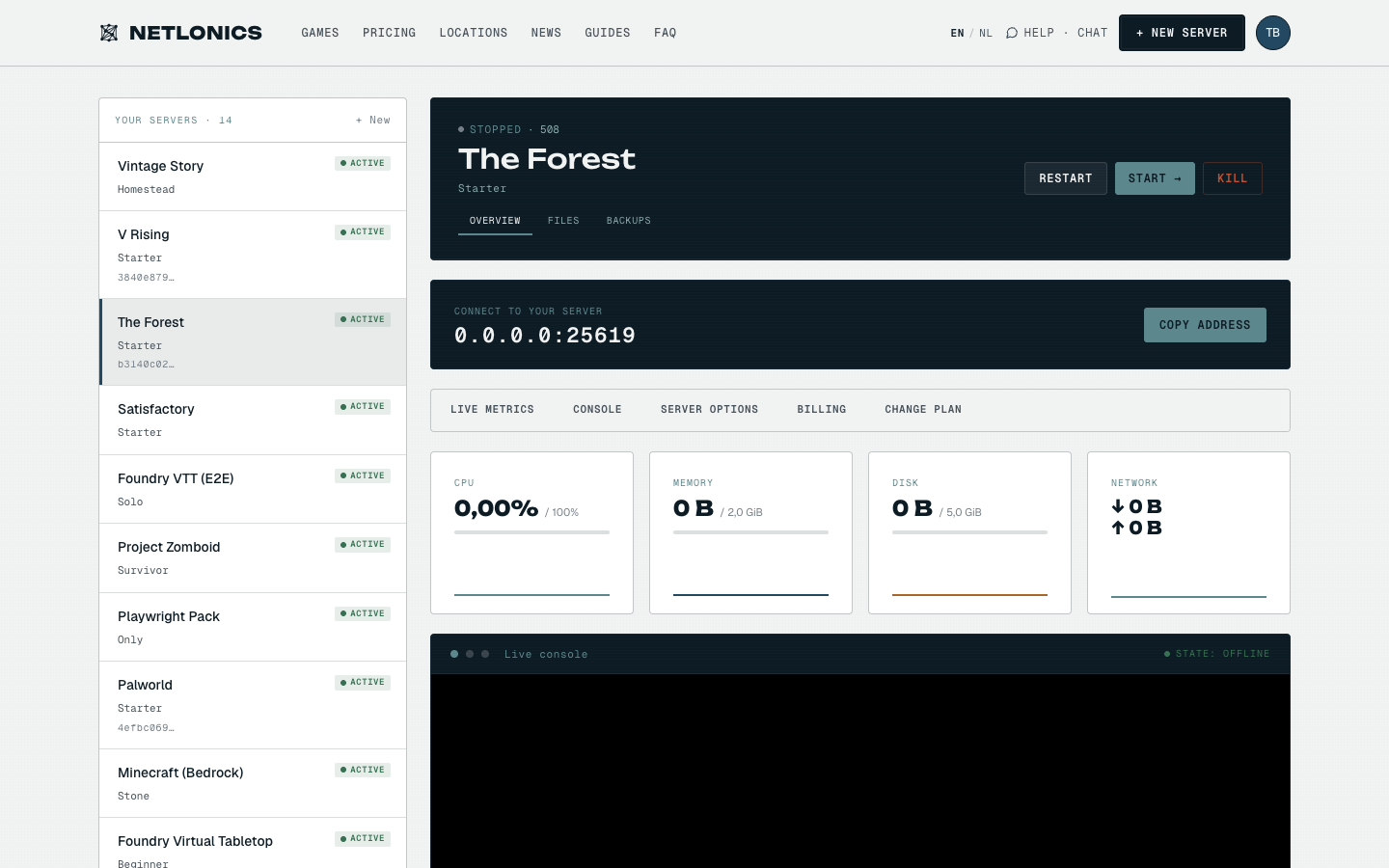
The Forest's dedicated server is the older, simpler title (this is not Sons of the Forest, that's a different game with its own server tool). Endnight surfaces five settings you'll actually want to manage day-to-day: the display name, two passwords, the difficulty, and the world mode. Every other tunable lives in the config files. Netlonics puts all five on the dashboard's Server Options panel so you don't have to touch the box.
01 Open Server Options on your The Forest server
From your dashboard, open the The Forest card. The Server Options panel is in the right column of the OVERVIEW tab, below the live metrics and console. The Forest's dedicated server reads these values at boot and writes them into the runtime config; nothing on disk needs hand-editing.
02 The variables, one by one
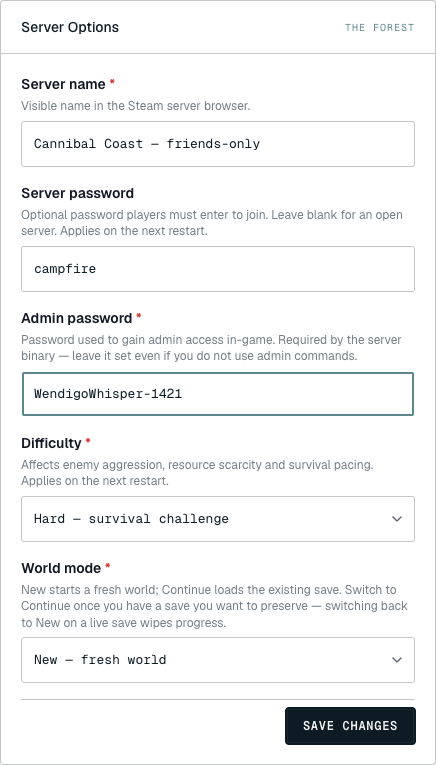
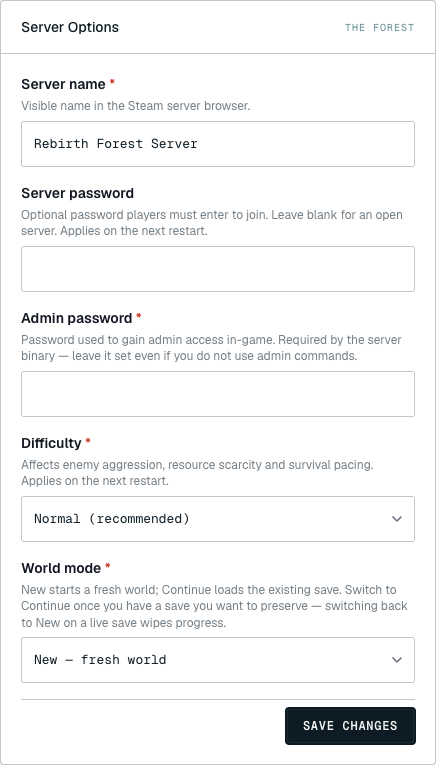
Five fields, three things to keep straight: passwords (two different ones), difficulty, and world mode.
Server name (required, max 64 chars), SERVER_NAME. The display name in Steam's server browser. Endnight allows ASCII and most extended-Latin characters, but emoji rendering is patchy. Keep it short, the browser truncates aggressively past about 40 characters.
Server password (optional, max 20 chars), SERVER_PASS. Leave blank for an open public server. Set it to gate the server to friends; players are prompted at join. Note: 20 characters is Endnight's hard limit; longer values are silently truncated by the binary, so the dashboard rejects them upfront so you don't end up with a different password than you thought.
Admin password (required, max 20 chars), ADMIN_PASS. Required by the server binary, it refuses to start without one. This is what you type into the server console to gain admin access for kick / ban / save commands. Netlonics generates a random 20-character value at provision time; rotate it to something you can paste from your password manager. Keep this set even if you never plan to use admin commands, the binary genuinely won't boot if the field is empty.
Why two passwords? The Forest separates the join gate (
SERVER_PASS, which any player needs to enter the server) from the admin gate (ADMIN_PASS, which you need to manage the server). Don't reuse the same value, players see the join password as soon as they connect, so reusing it means every player has admin access.
Difficulty (required, Peaceful/Normal/Hard), SERVER_DIFFICULTY. Affects enemy aggression, resource scarcity, and survival pacing. Endnight ships three values:
- Peaceful, no enemies, cannibals don't spawn, mutants don't spawn, the timed events still fire (planes, helicopters) but nothing hunts you. Good for building servers where the survival half is in the way.
- Normal (recommended), the default the game shipped with. Balanced threat curve. Pick this if you don't have a strong reason for the others.
- Hard, survival challenge, significantly more aggressive cannibal patrols, faster mutation timing, scarcer loot. Stunt-runs and PvE veterans only.
Changing this on an existing world works on the next restart, Endnight re-reads it on every boot, unlike V Rising's preset.
World mode (required, New/Continue), INIT_TYPE. Controls whether the server starts a fresh world or loads the existing save. This is the field with the footgun:
- New, fresh world, generates a new world on the next boot. The previous save is not automatically deleted; it sits on disk and the new save writes alongside, but only the new world is loaded.
- Continue, load saved game, loads the most recent save from disk and resumes.
The footgun: if you fresh-provisioned the server and have just started building, you want INIT_TYPE=New on the first boot, which is the default, and then switch this to Continue after the first save. If you leave it on New and restart, you genuinely get a fresh world every time, wiping your progress. The dashboard refuses to silently undo this, so the recovery is to switch to Continue (which loads the most recent save) before the next restart, bring backups to bear if you switched too late.
03 Save and restart
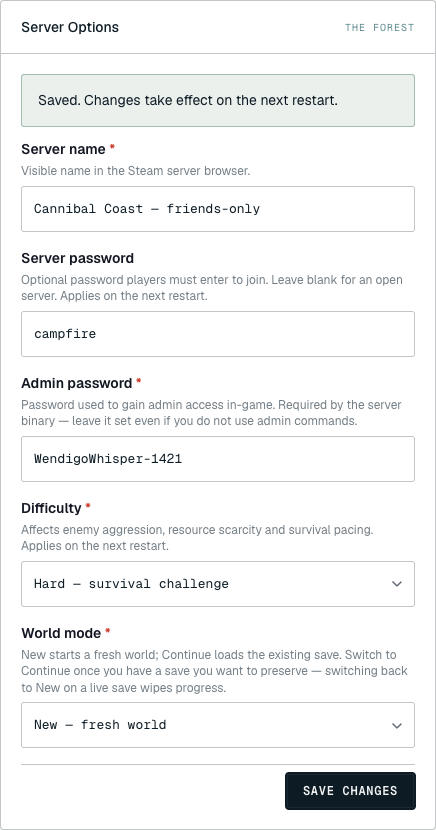
Click SAVE CHANGES. The green "Saved. Changes take effect on the next restart." banner confirms your edits made it to disk. The Forest only reads these values at boot, so they don't apply to a running server.
Trigger the restart from the OVERVIEW tab's RESTART button. The Forest's dedicated server is small and boots in ~15 seconds, the fastest of any survival game we host. Players in the game get disconnected and can rejoin once the server's back up.
One-time setup tip. After the first restart on a new server, switch World mode to Continue and save again. Otherwise every subsequent restart regenerates the world. The dashboard doesn't auto-flip this for you because Endnight's INIT_TYPE semantics intentionally let operators wipe by restarting with New.
Troubleshooting
- The server won't start and the console shows "ADMIN_PASS required". You blanked the admin password. The Forest's binary refuses to boot without one. Set any value, minimum 1 character, maximum 20, alphanumeric and basic punctuation, save, and restart.
- I restarted and my base is gone. World mode is set to New. The save is still on disk but the binary regenerated. Switch World mode to Continue and restart; The Forest will load the most recent save. If multiple New-boots happened, only the most recent save is loaded, earlier ones still exist in the saves folder but aren't surfaced by the binary.
- My server doesn't appear in the Steam browser. The Forest's listing-service registration takes 1–3 minutes after restart. Confirm the server is Online on the dashboard, then wait. If it still doesn't show after 5 minutes, try the direct-connect address, if that works, it's a listing delay, not a server problem.
- Cannibals are way more aggressive than expected. Difficulty is set to Hard. Switch to Normal and restart. Unlike V Rising, The Forest re-reads difficulty on every boot, so the change applies to the existing world cleanly.
- Server password and admin password are the same and weird things are happening. Don't reuse the same value across the two fields, players see the join password as soon as they connect, so they'd have admin access via the console. Pick distinct values, rotate the one that leaked.
- Where are the per-mode tunables (peaceful crafting requirements, save interval)? Those live in
cfg/serverconfig.cfgandcfg/save_interval. Open the FILES tab and use the inline file editor. Restart to apply.
Running another survival server? Same Server Options pattern applies for Palworld and V Rising, different fields, same dashboard flow. For the Minecraft equivalent, see the version selector guide.